Split view
The split view surface allows users to initiate private conversations with apps using AI features side by side with the rest of Slack, in the flow of work. Use this view in conjunction with other app features conducive to AI integration; for example, suggested prompts, loading states, and app threads.
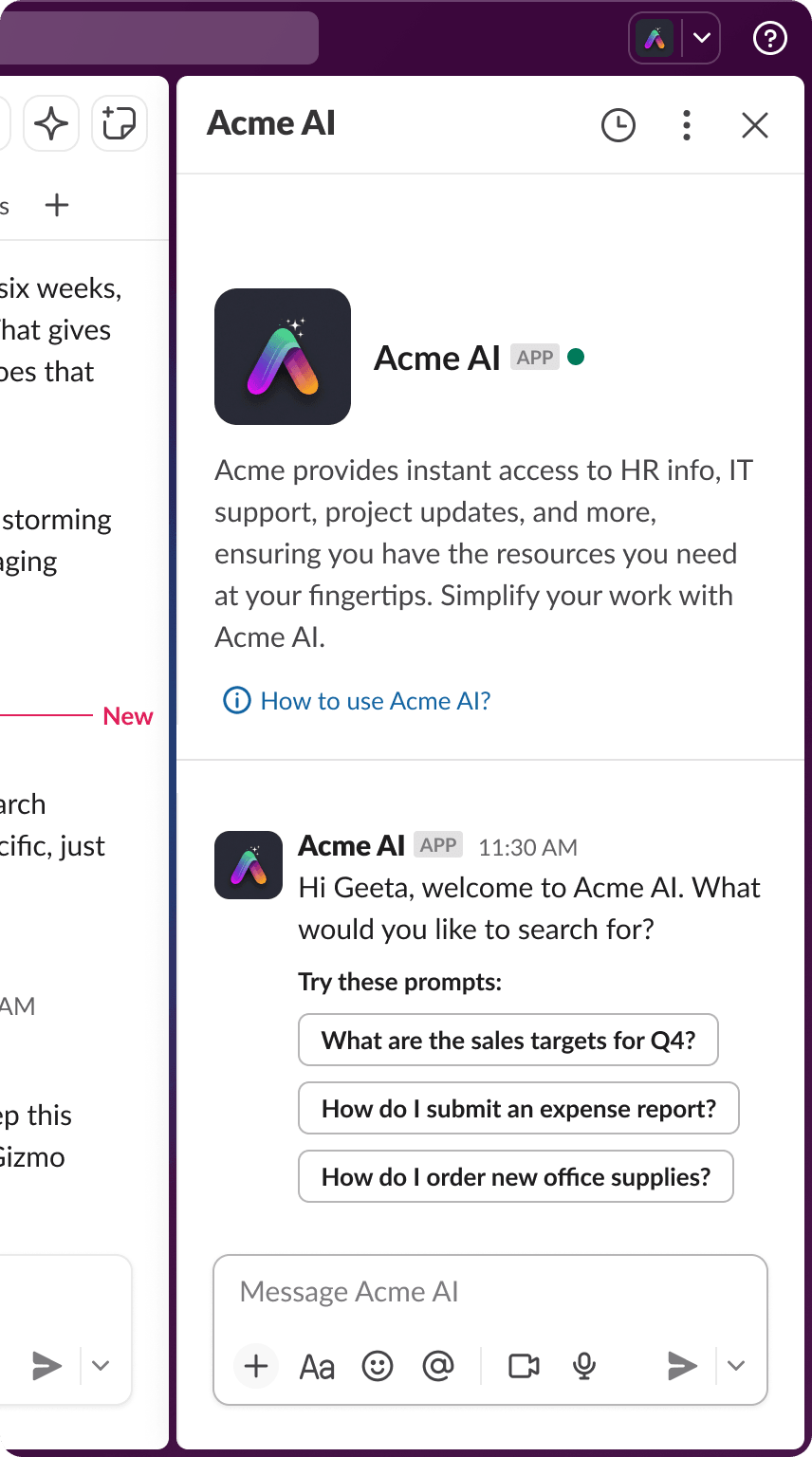
Enabling split view
Once you've created an app in the app settings, navigate to Agents in the side bar, then click the toggle to turn the feature on. Turning on this feature also enables a top bar entry point.
This feature offers two messaging experiences for your app:
- Agent messaging experience: agent conversations happen in the app's Messages tab, with threads in a timeline above the composer.
- Assistant messaging experience: the Messages tab is replaced with separate Chat and History tabs.
New apps can only use the Agent messaging experience. See Developing agents for the differences between the two.
Read more about other AI features in apps in the guide to Developing agents.